Selling a package
Sell a package when you issue prepaid sessions to a customer from the admin. The package must be Active. After a successful sale, the purchase appears under Sold packages.
Before you start
- The package already exists in Catalog. See Creating a new package.
- The customer exists in your client list.
- For a Payment link, a payment app is installed and ready under Apps.
Sell from the packages list
- Open Appointments → Catalog → Packages.
- Open the row menu on an Active package.
- Click Sell.
You can also open Sold packages and use Sell package there when that control is available.
Fill the sell dialog
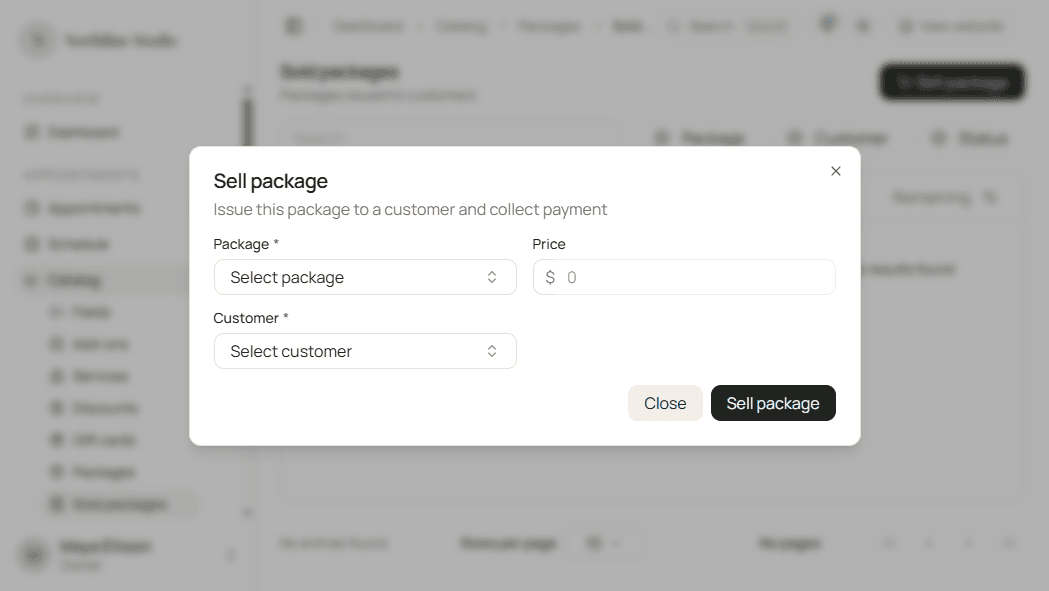
- Confirm the Package (prefilled when you started from a row).
- Pick the Customer.
- Adjust Price if this sale differs from the catalog price.
- Choose Payment method: Cash, Card, or Payment link.
- For Payment link, pick the App if needed, set Send via (Email, SMS, or Copy link), choose Destination when sending, and confirm SMS consent if you send by text.
- Confirm the sale.
Hacado issues the customer package and records payment (or a pending payment link). You are taken to the sold packages list filtered to that package.
Good to know
Sell only appears for Active packages. Public online purchase still depends on listing the package under Services and packages.