Online meeting
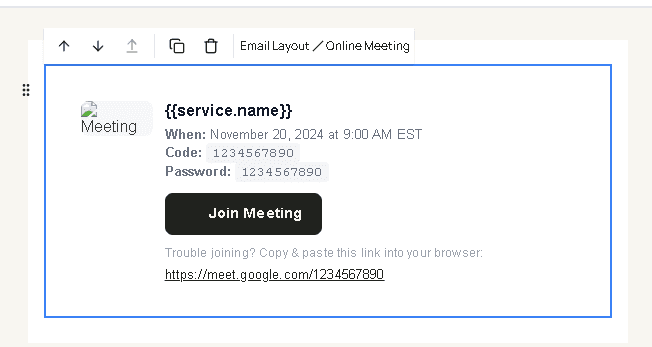
Online meeting is a ready-made block for a video visit: a title, when it is, a meeting code, a password, and a join button. Drag it from Online meeting. It only has something useful to show when the appointment has meeting details.
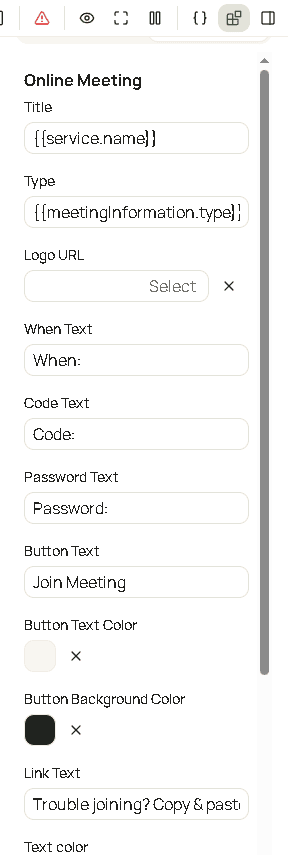
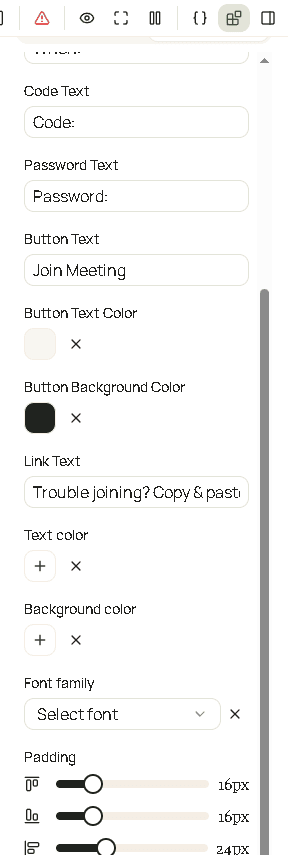
| Field | What it changes |
|---|---|
| Title | The heading, such as the meeting name. |
| Type | A short label for the kind of meeting. |
| Logo URL | An optional logo image. |
| When text | The line that shows the time. |
| Code text | The line that shows the meeting code. |
| Password text | The line that shows the password. |
| Button text | The label on the join button. |
| Button text color | Color of that label. |
| Button background color | Fill of the join button. |
| Link text | A text link under the button, when you want the raw address as well. |
| Text color | Color of the words around the button. |
| Background color | Fill behind the block. |
| Font family | Typeface. |
| Padding | Space inside the block. |
Use placeholders for the time, code, password, and join URL so each customer gets their own meeting.