Build your website
Your setup wizard already created starter pages for your booking site. Open the page list, confirm what is there, and edit only what you need for launch.
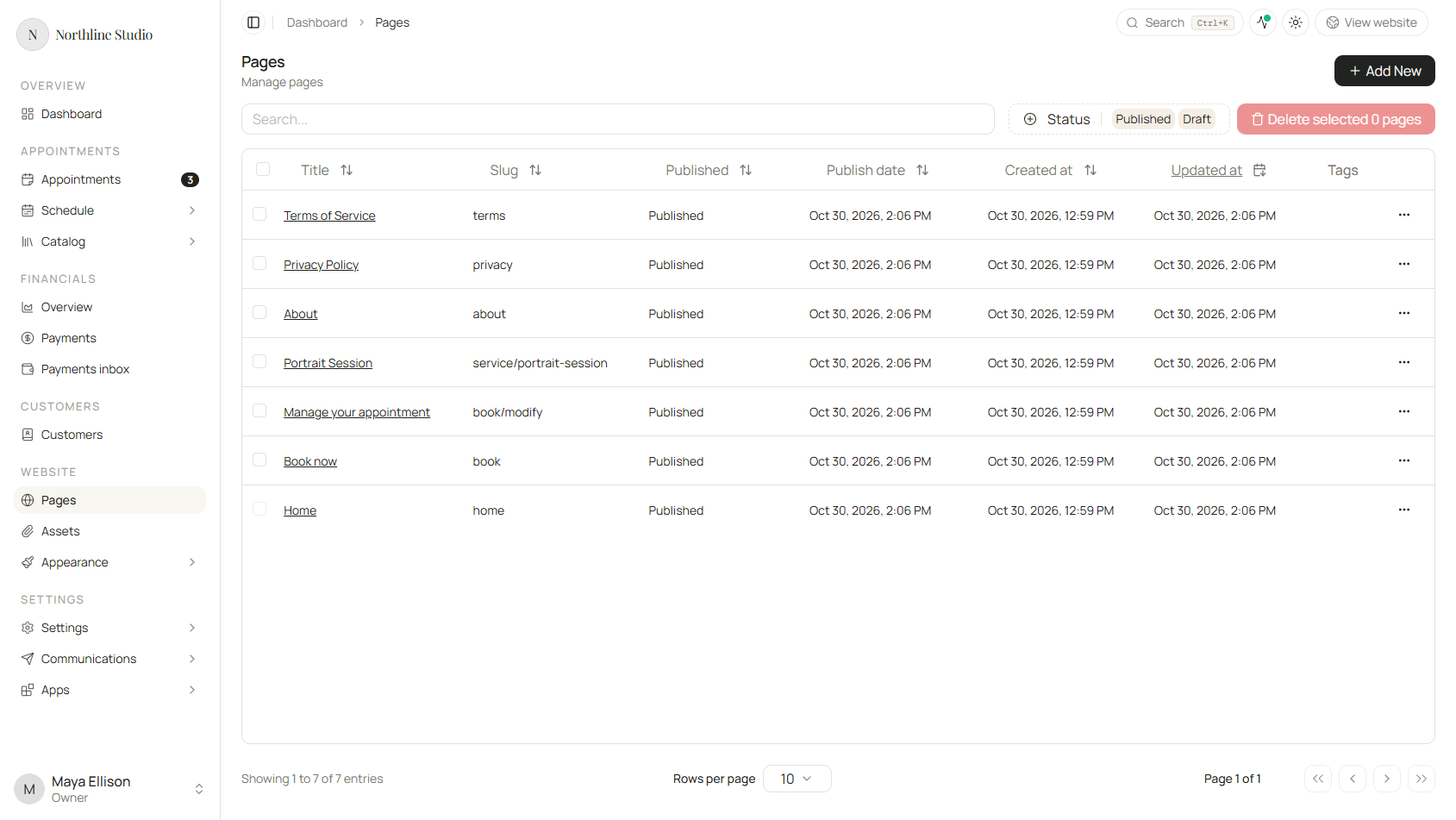
Open Website → Pages in the side menu.
Understand your page list
You will see each page’s title, URL slug, and whether it is Published. Starter pages often include Home, Book now, About, and a service page.
Click a page title when you are ready to edit it in the page builder. For a full walkthrough of blocks, layouts, and the editor toolbar, see Page builder (coming soon).
Related website tools
- Website → Assets - upload photos and files you will use on pages.
- Website → Appearance → Page headers and Page footers - the top navigation and bottom section that repeat across pages.
A sensible first pass
You do not need a perfect site on day one:
- Open the home page and check the headline still sounds like you.
- Confirm your services and booking pages are in the list.
- Add a logo under Settings → Brand if you have not already.
- Replace placeholder photos from Assets when you have real ones.
You can return later to add pages, forms, or a blog as your business grows.