Updating an existing package
Change a package when the name, sessions, price, validity, or staff rules no longer match how you sell it. Edits apply to future sales and how new redemptions work. Existing sold packages keep the purchase they already recorded.
Open the package
- Open Appointments → Catalog → Packages.
- Click the package name, or open the row menu and choose Update.
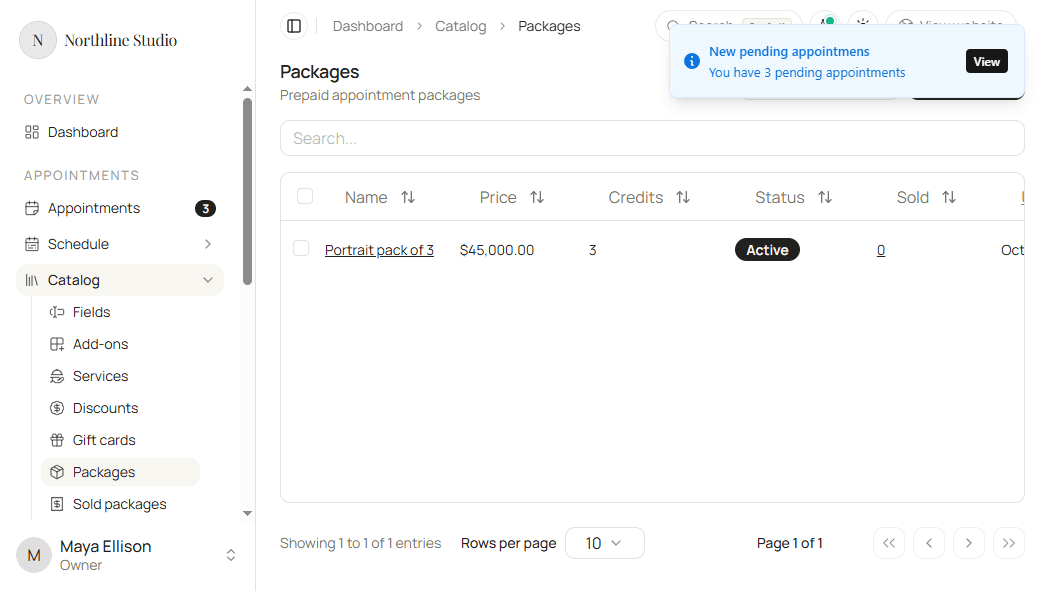
The form shows the same sections as create: Details, Service, Price and limits, and Eligible staff.
Change details and service
- Update Name or Short description when clients should see different wording.
- Change the Service if the package should redeem a different catalog service.
- Update Sessions when the included visit count changes.
Change price and limits
- Edit Price, Max purchases per customer, and Validity.
- Change Auto-confirm appointments between Always, Never, and Inherit from booking settings.
Change eligible staff
- Add or remove Member cards under Eligible staff.
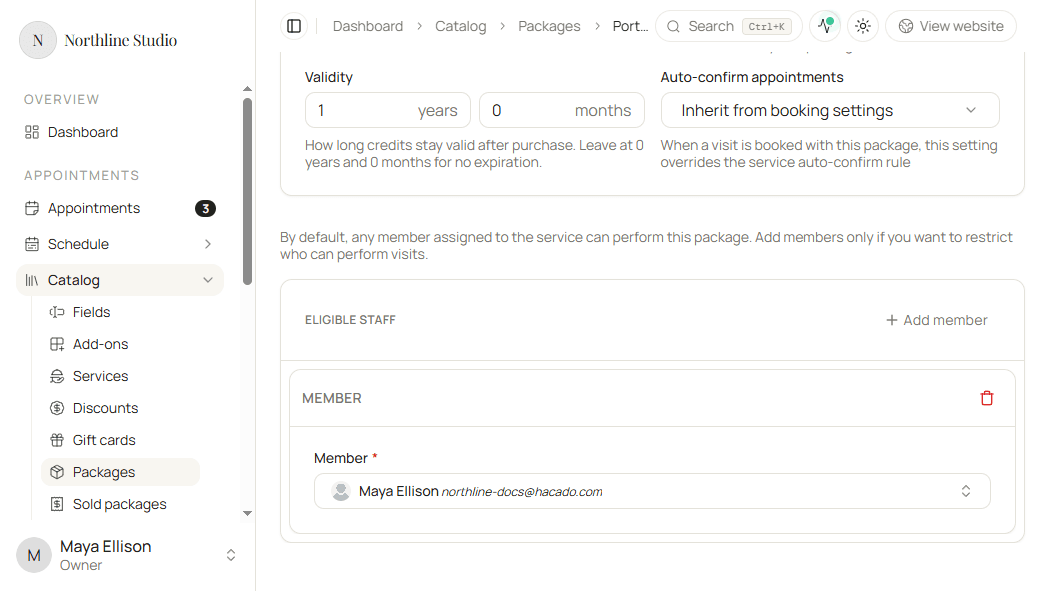
- Clear all eligible staff when any member on the service should be able to perform visits again.
Full create-time detail is in Creating a new package.
Save
- Click Save.
Hacado keeps you on the package page and confirms that your changes were saved.
Updating a package does not change whether it appears for public purchase. Manage that under Services and packages.
Good to know
Sold packages already issued to customers stay under Sold packages. Adjust credits or cancel there when a customer’s purchase needs a correction.