Connect your own domain
This guide is for people who have never bought a domain name. You will learn what a domain is, how to purchase one, how to set DNS, and how to connect it so clients open your Hacado site at an address like yourbusiness.com.
You do not need a custom domain to take bookings. Every workspace already has a free Hacado address.
What is a domain?
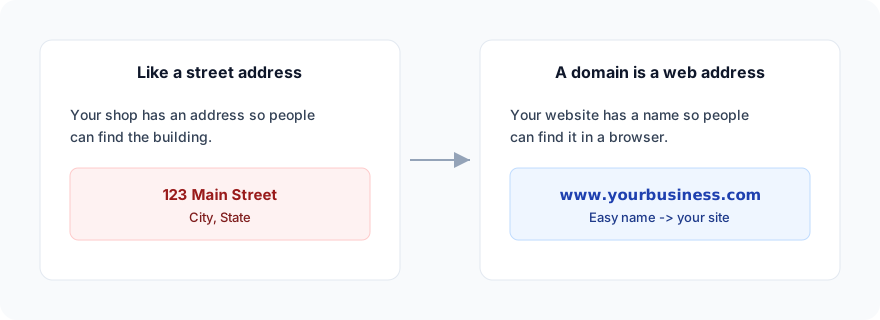
A domain (or domain name) is the easy-to-remember address of a website - the words people type into a browser instead of a long technical number.
Think of it like a street address for a shop. The street address is for humans; behind the scenes, the postal system knows which building that is. On the internet, the domain is for humans; DNS (explained below) knows which computer should answer.
Examples of domains:
google.comhacado.comnorthlinestudio.com
The part after the last dot (.com, .me, .co.uk, …) is called a top-level domain. The words before it are the name you choose (when it is still available).
Words you will see
| Word | Plain meaning |
|---|---|
| Domain / domain name | The website name you type (yourbusiness.com). |
| Registrar | The company that sells and renews domain names (GoDaddy, Namecheap, Porkbun, Cloudflare, and many others). Hacado does not sell domains. We recommend Porkbun as easieast and most trusted registar |
| DNS | The internet’s “phone book” that maps a domain to a server. |
| DNS record | One row in that phone book (A, CNAME, ALIAS, …). |
Apex / root / @ | The bare domain with no www - for example yourbusiness.com. Many panels use @ as the host name for that. |
| Subdomain | A prefix such as www or book → www.yourbusiness.com, book.yourbusiness.com. |
| Propagation | Waiting time after you change DNS before the whole internet sees the new answer (minutes to a day). |
What Hacado gives you already
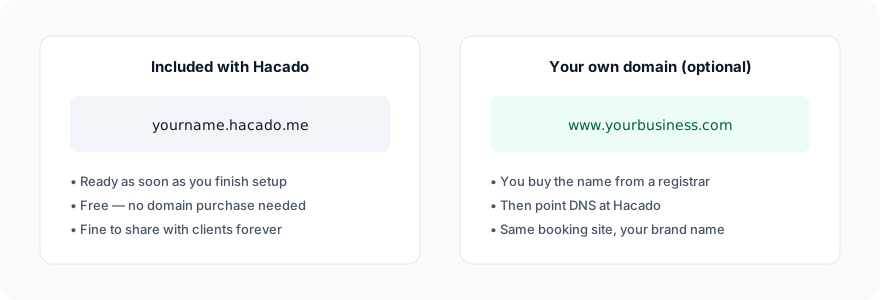
When you create a workspace, Hacado assigns a public address based on your organization slug, for example:
https://yourname.hacado.me
That link works for booking without buying anything else. Connecting your own domain is optional branding.
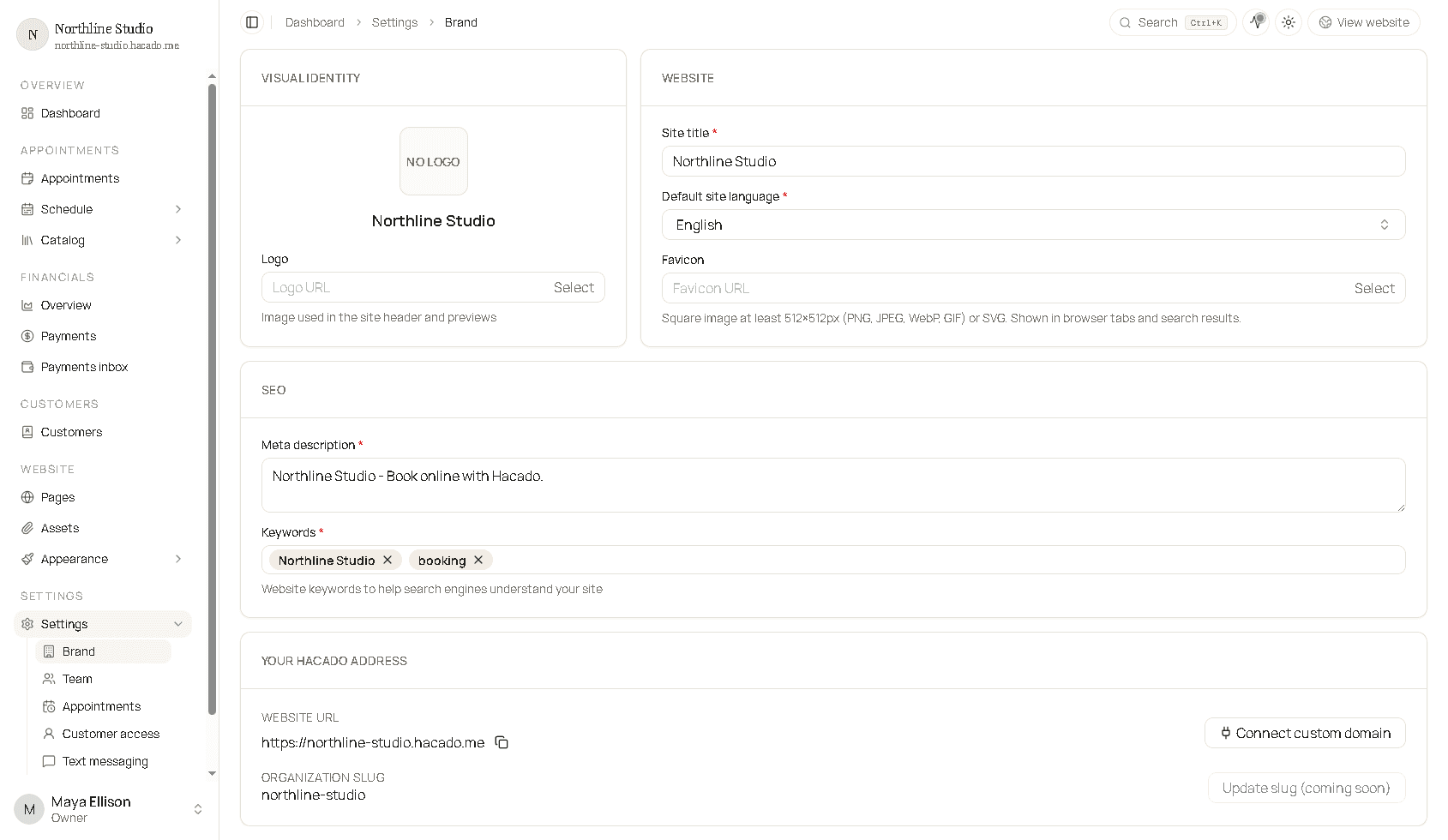
Find your current link anytime under Settings → Brand → Brand tab → Your Hacado address.
Do you need your own domain?
| Situation | Suggestion |
|---|---|
| You are testing or just starting | Use the free *.hacado.me link. |
| You want clients to remember your brand name | Buy a domain and connect it. |
You already own yourbusiness.com | Skip buying; go to Find DNS settings. |
Custom domains require a plan that includes them (Solo or higher). If Hacado asks you to upgrade, open billing from Settings → Brand → General.
Overview of the whole process
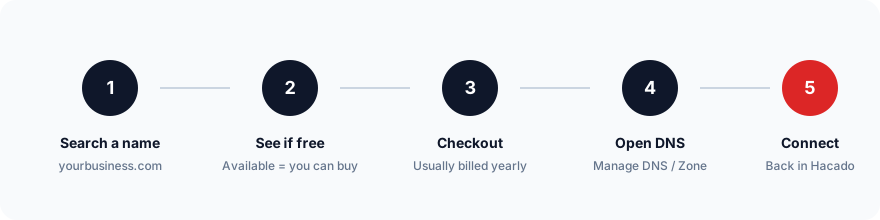
- Buy a domain at a registrar (or use one you already own).
- Open that registrar’s DNS / Manage DNS screen.
- In Hacado, open Connect custom domain and copy the values shown.
- Create matching DNS records at the registrar.
- Return to Hacado, type the domain, click Connect.
Buy a domain (if you do not have one)
Hacado does not sell domain names. Pick any reputable registrar. The screens look different at each company, but the idea is the same.
Step by step
- Create an account at a registrar and open Domains / Get a new domain / Search.
- Type the name you want (for example
northlinestudioand ending.com). - If the result says available, add it to the cart. If it is taken, try another spelling or ending (
.com,.studio,.co, …). - Complete checkout. Domains are usually billed per year. Turn on auto-renew if you want to keep the name without forgetting.
- After purchase, open the domain and find DNS, DNS management, Manage DNS, or DNS zone. That is where you will add records later.
Tips for choosing a name
- Prefer short, easy to spell, close to your business name.
- Avoid hyphens and numbers if clients will hear the address out loud.
.comis familiar; other endings are fine if they fit your brand.- You do not need to buy “privacy protection” add-ons to use the domain with Hacado - follow the registrar’s defaults if you are unsure.
Keep the registrar login somewhere safe. You will need it whenever DNS or renewal changes.
Find your DNS settings
After you own the domain:
- Sign in at the registrar.
- Open the list of your domains and select the one you will use with Hacado.
- Look for DNS, Manage DNS, DNS records, or Advanced DNS.
You should see a table of existing records (often with types like A, CNAME, MX for email, TXT). Leave email (MX) records alone unless a guide tells you to change them - this article only changes records for the website hostname you connect.
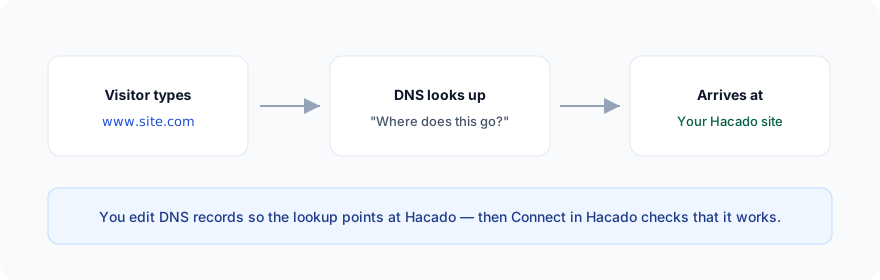
Open Connect custom domain in Hacado
Do this before or while editing DNS so you can copy the exact values Hacado expects for your workspace.
- Sign in to Hacado admin.
- Go to Settings → Brand.
- Open the Brand tab.
- Scroll to Your Hacado address.
- Click Connect custom domain.
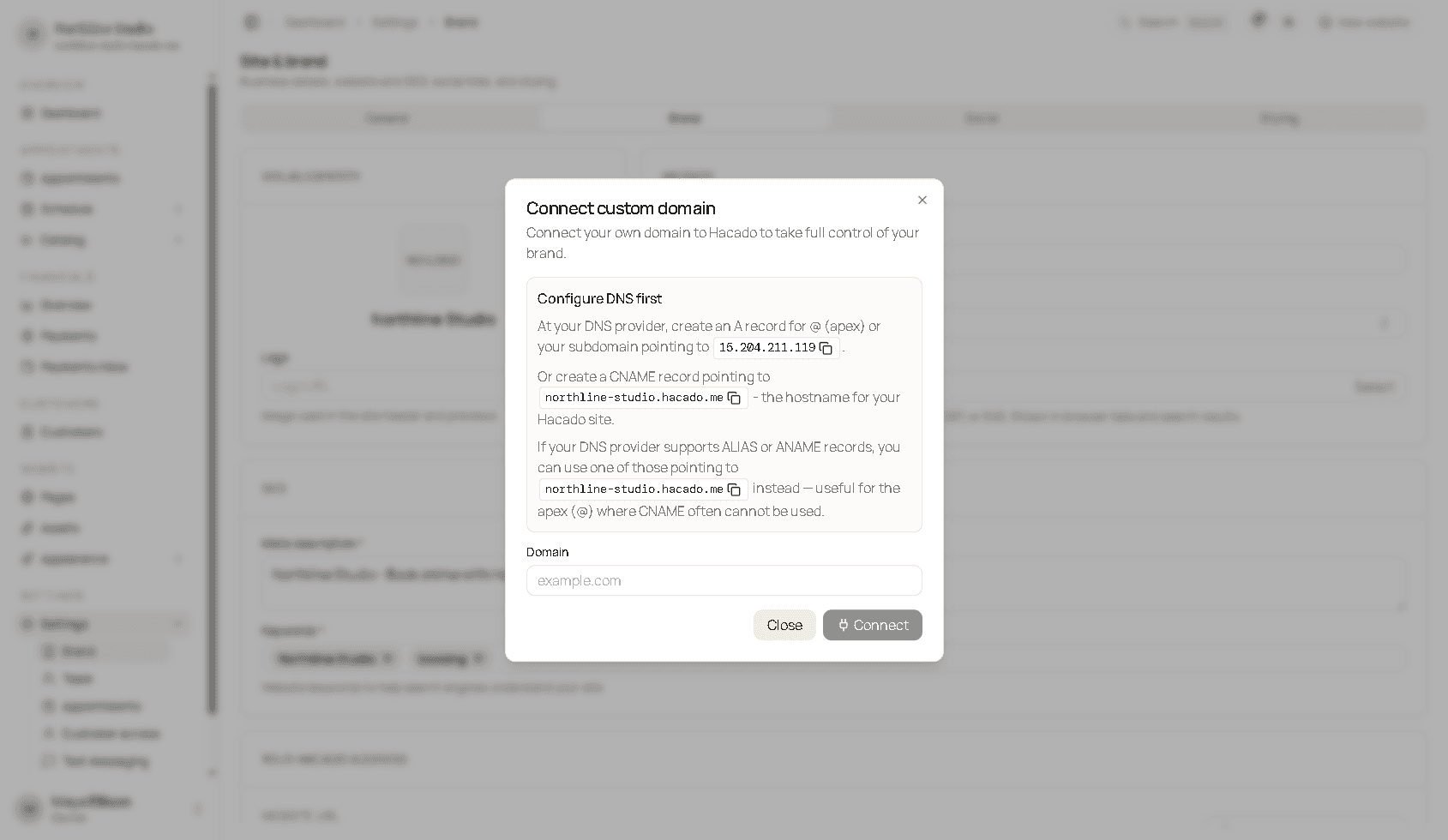
The dialog tells you to configure DNS first, then type the domain and click Connect.
What the dialog asks you to create
Hacado shows copy buttons next to the real values for your workspace. Typically you may use one of these approaches:
| Record type | Typical use | Points to |
|---|---|---|
| A | Apex (@) or a subdomain | An IP address shown in the dialog (copy it) |
| CNAME | Often www or another subdomain | Your Hacado hostname (for example yourname.hacado.me) |
| ALIAS / ANAME | Apex when the registrar supports it | The same Hacado hostname - useful because many providers cannot put a CNAME on @ |
Always copy from your dialog. Do not reuse IP addresses or hostnames from someone else’s screenshot or an old email.
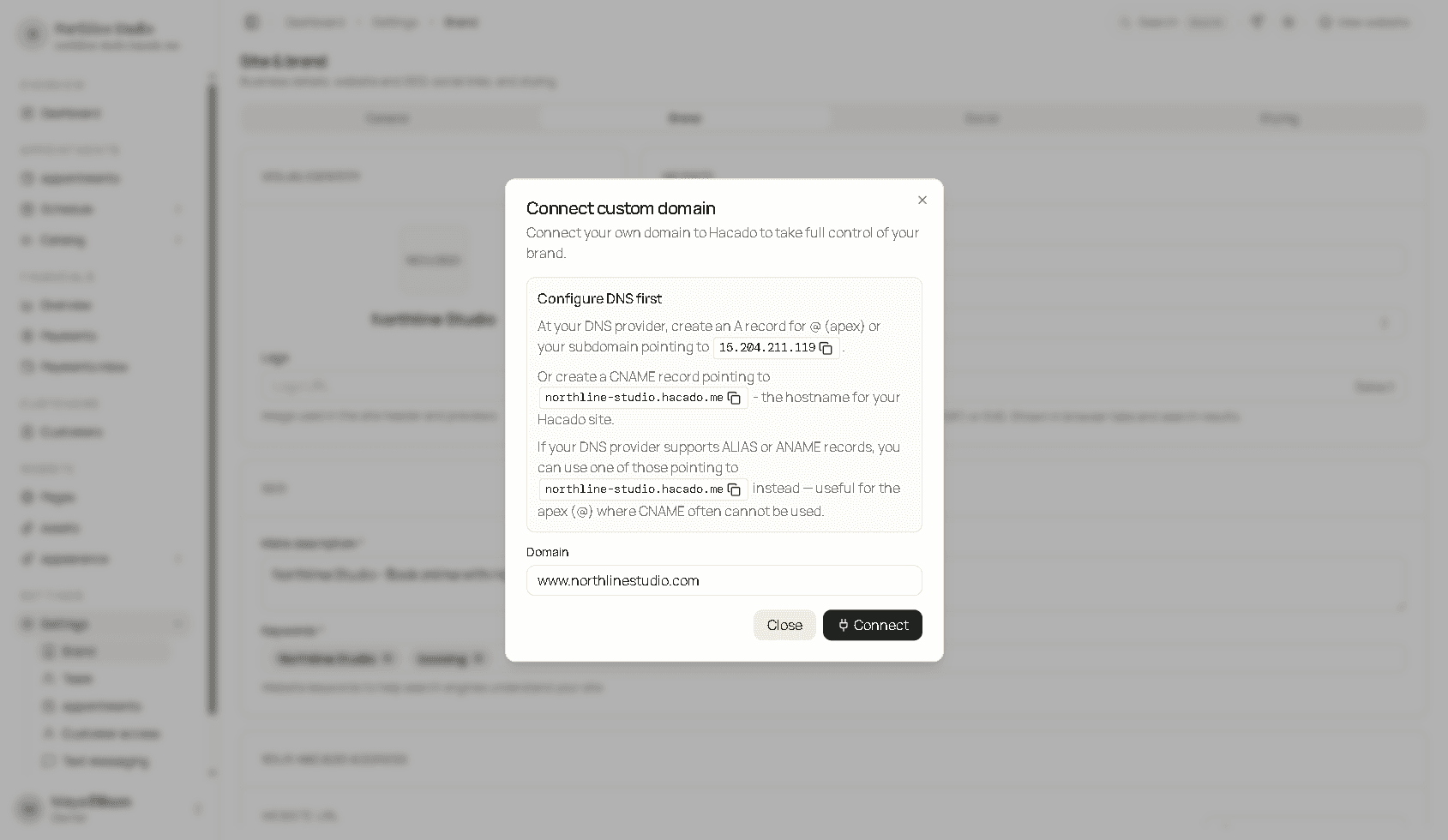
In the Domain field, enter only the hostname clients will use - for example:
www.yourbusiness.comyourbusiness.combook.yourbusiness.com
Do not include https:// or a path.
Leave the dialog open (or copy the values to a note) while you switch to the registrar.
Add DNS records at your registrar
At the registrar DNS screen:
- Decide which hostname you will connect (apex,
www, or another subdomain). - Add or edit the record type Hacado described (A, CNAME, or ALIAS).
- Paste the value you copied from Hacado.
- Save.
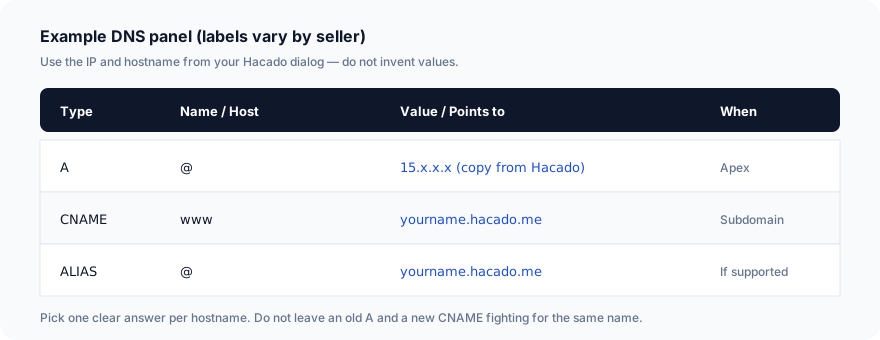
Important rules
- One clear answer per name. Do not keep an old A record and a new CNAME for the same host - browsers get confused.
- If the panel asks for TTL, the default is fine.
- Some panels want the host as
@or blank for the apex, andwwwfor the www subdomain - not the fullwww.yourbusiness.comin the host column. - If you use both
yourbusiness.comandwww.yourbusiness.com, you may need two records (or a redirect product from the registrar). Connect the hostname you actually type in Hacado.
Example: connect www
- In Hacado, copy the CNAME target (your
….hacado.mehostname). - At the registrar, add CNAME, host
www, value = that hostname. - In Hacado’s Domain field, enter
www.yourbusiness.com. - Click Connect.
Example: connect the apex (yourbusiness.com)
- Prefer an A record to the IP Hacado shows, or an ALIAS/ANAME to your Hacado hostname if the registrar offers it.
- Host is usually
@. - In Hacado, enter
yourbusiness.com(nowww).
Connect in Hacado
- Confirm DNS is saved at the registrar.
- In the Connect custom domain dialog, enter the same hostname.
- Click Connect.
Hacado validates DNS when you connect. If records are wrong or not visible yet, you see an error such as DNS not configured - fix the records and try again.
DNS changes can take anywhere from a few minutes to about a day. Waiting and retrying is normal.
When it succeeds, clients can open your site at the custom name. Your old ….hacado.me address typically continues to work as well unless you stop sharing it.
Check that it works
- Wait a short while after saving DNS.
- Open a private/incognito browser window.
- Visit
https://+ the hostname you connected. - You should see your Hacado booking website.
If it fails, wait longer, re-check the record type/host/value against the Hacado dialog, and remove conflicting old records.
Disconnect or change the domain
Back under Settings → Brand → Your Hacado address:
- Disconnect custom domain removes the mapping inside Hacado. It does not cancel or delete the domain at the registrar - you still own the name until you let it expire or transfer it.
- To use a different hostname, disconnect (if needed), update DNS for the new name, and run Connect again.
Troubleshooting
| Problem | What to try |
|---|---|
| Connect says DNS is not configured | Compare type, host, and value to the dialog character for character. Wait for propagation and retry. |
| Site shows the wrong page or an old site | Remove leftover A/CNAME records for that host at the registrar. |
www works but bare domain does not (or the reverse) | Add the matching record for the other hostname, or set up a redirect at the registrar. |
| Registrar support chat | Ask them to “point this hostname to the A/CNAME target Hacado listed” and send a screenshot of the Hacado dialog. |
| Upgrade message in Hacado | Custom domains need Solo (or higher). Manage plan under Brand → General billing. |
Related
- Brand settings - where Connect custom domain lives
- Settings overview
- Publish and share - sharing your booking link before you own a domain