Loop container
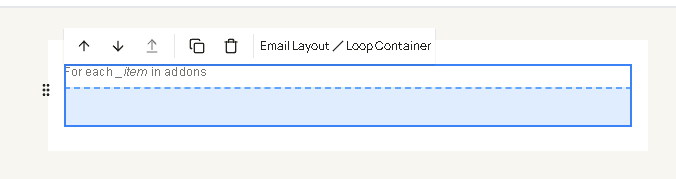
Loop container repeats its inner blocks once for each item in a list. Drag it from Containers, then build one row inside it. The canvas labels the block as “For each _item in” the value you set.
Use it for add-ons, payments, uploaded files, or the extra answers on a booking.
| Field | What it changes |
|---|---|
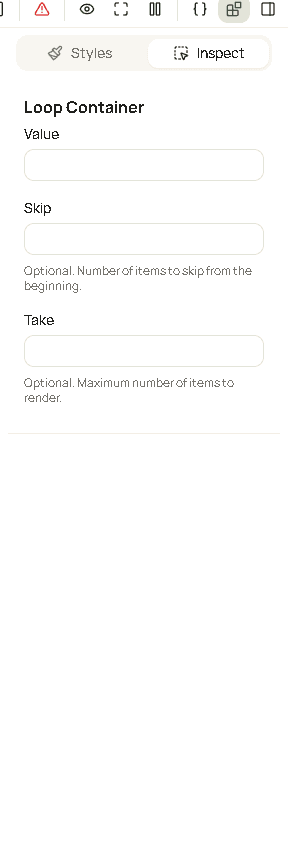
| Value | A JavaScript expression whose result is a list. Do not wrap it in {{ }}. |
| Skip | Optional. How many items to ignore at the start. A whole number, 0 or more. Empty means 0. |
| Take | Optional. The most items to show after the skip. Empty means the rest of the list. |
Style the blocks inside the loop, not the loop itself.
Where the list comes from
Value uses the same data as placeholders. Open View context. A name whose sample is [] is a list. Type that name with no braces.
| Value | The list |
|---|---|
addons | Add-ons on the booking. Each item has name, price, priceFormatted, and duration. |
payments | Payments. Each item has amount, amountFormatted, paidAt, and flags such as isDeposit and isGiftCard. |
restFields | Answers on the booking other than name, email, and phone. Each item has label and value. |
images | Files whose type is an image |
files | Files that are not images |
socials | The business social links |
Preview uses the sample booking, so addons shows the sample add-ons. The sent email uses the appointment’s own list. If that message has no such list, View context will not show the name. Do not use it there.
The result has to be a list. addons is a list. customer is one person, not a list, so it cannot be the value. addons.length is a number, not a list.
The current item
Each pass stores the current item on _item. The other variables are still there, so a row can mix the business name with the item.
Add-on row:
{{_item.name}} - {{_item.priceFormatted}}Payment row:
{{_item.amountFormatted}}{{_item.paidAt.date}} is the paid date when that payment has one. A date on an item has the same pieces as dateTime (date, time, full, and the rest).
Custom answer:
{{_item.label}}: {{_item.value}}{{name}} inside the row is not the add-on. The add-on name is {{_item.name}}. {{config.name}} is still the business.
This is not a Mustache {{#addons}} section. Those sections are for a text or a subject line. Inside this block, the item is always _item.
Narrow the list
Value can be any JavaScript expression that returns a list. filter keeps the items that pass a test. The name after => is the item being tested, and it exists only inside that filter.
| Value | What is repeated |
|---|---|
payments.filter(payment => payment.isDeposit) | Deposit payments only |
payments.filter(payment => payment.amount > 0) | Payments with an amount |
addons.filter(addon => addon.price > 0) | Add-ons that cost something |
socials.filter(link => link.is_instagram) | The Instagram link, when it is set |
Compare the number, not the formatted text. addon.price > 0 works. addon.priceFormatted === "$20.00" depends on currency and will not match in every workspace.
filter does not change the booking. It only chooses what this loop prints.
To send the loop only when the list has items, put the loop in the yes area of a Conditional container whose condition is addons.length or payments.length.
Skip and take
Skip and Take run after the value, on the list that expression returned. They count items, starting at the first.
| Skip | Take | What is shown |
|---|---|---|
| empty | empty | The whole list |
| empty | 3 | The first 3 |
1 | empty | Everything after the first |
1 | 1 | Only the second item |
An empty list repeats nothing. The row is not sent, and the rest of the email is unchanged.
Good to know
- If the value is missing, mistyped, or not a list, the email shows the words
NOT ARRAYwhere the rows should be. Open View context and use a name whose sample is[], or afilterthat returns a list. - Skip and Take are the counts. Leave them empty rather than typing
0unless you mean it. Take of0shows no rows.