Test the customer experience
Before a real client books, walk through the process yourself. One test booking catches wrong hours, missing payments, or broken notifications early.
Book as a client
- Copy your booking link from Settings → Brand → Brand → Your Hacado address.
- Open a private or incognito browser window (so you are not logged in as the owner).
- Paste the link and browse your site like a new visitor.
- Pick a service, choose a time, and complete the booking form.
- Use your own email or phone for the test so you receive confirmations.
If you require a deposit or full payment, complete the payment step with a card your payment provider accepts for testing. Do not put a card number in these docs.
Check what happens on your side
After booking, confirm each item that matters to your business:
| What to verify | Where to look |
|---|---|
| Booking appears in your dashboard | Dashboard home or Appointments |
| Confirmation email or text | Your inbox or phone |
| Calendar entry | The calendar app you connected |
| Payment recorded | Open the appointment → Payments |
| Pending approval (if you do not auto-confirm) | Dashboard → Pending Appointments |
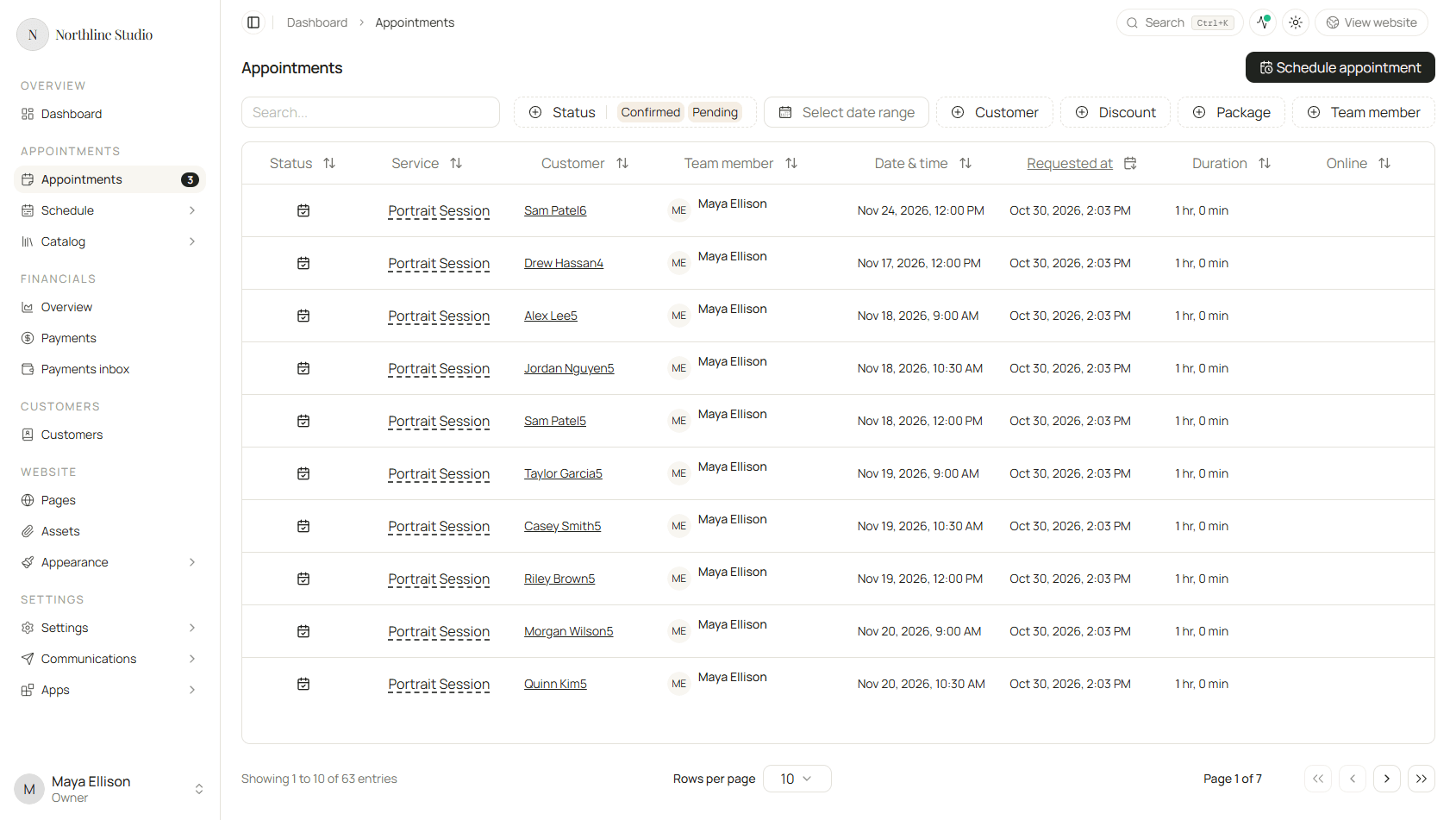
Open the appointment in Appointments, click the row, and review the details.
Clean up the test booking
You do not need to keep the test visit on your calendar:
- Reschedule it to a time you will ignore, or
- Decline / cancel it from the appointment detail screen.
Canceling proves your cancellation flow works too.
Common issues and where to fix them
| Problem | Likely fix |
|---|---|
| No times available | Set your availability |
| Wrong service or price | Set up your services |
| No confirmation email | Connect essentials → Customer Appointment Updates |
| No text message | Customer Appointment Updates with text enabled |
| Payment did not work | Payment app under Settings → Apps → Installed apps |
| Booking not on calendar | Calendar app connection |
| Page looks wrong | Build your website and Publish and share |
If an app connection fails, see Apps troubleshooting.
You are ready to go live
When the test booking flows smoothly end to end, share your link with confidence. Real bookings will land in the same places you just checked.